How to Identify and Save SVGs from CSS Backgrounds
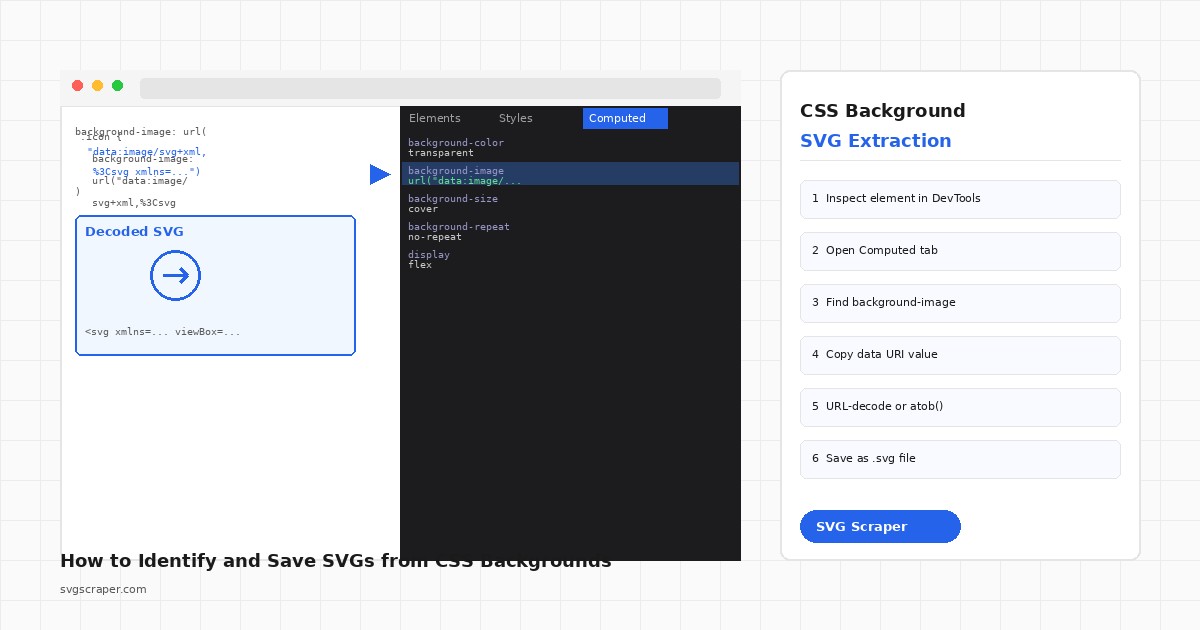
You inspect a page, notice a slick icon or a background pattern, and right-click it. Nothing. No "Save image as." The icon isn't an <img> tag or an inline <svg> in the HTML -- it's a CSS background. Getting that SVG out requires a slightly different workflow.
How SVGs end up in CSS backgrounds
There are two common patterns:
External file reference:
.icon {
  background-image: url('/assets/icons/arrow.svg');
}
This one is easy. The SVG lives at that URL. Open it directly in the browser or download it from the network panel.
Inline data URI:
.icon {
  background-image: url("data:image/svg+xml,%3Csvg xmlns='http://www.w3.org/2000/svg' viewBox='0 0 24 24'%3E%3Cpath d='M5 12h14M12 5l7 7-7 7'/%3E%3C/svg%3E");
}
Or base64-encoded:
.icon {
  background-image: url("data:image/svg+xml;base64,PHN2ZyB4bWxucz0iaHR0cDovL3d3dy53My5vcmcvMjAwMC9zdmciIHZpZXdCb3g9IjAgMCAyNCAyNCI+PHBhdGggZD0iTTUgMTJoMTRNMTIgNWw3IDctNyA3Ii8+PC9zdmc+");
}
The data URI approach is popular because it eliminates an HTTP request and keeps the SVG self-contained in the stylesheet. It also means the SVG is invisible to a casual right-click.
Finding the CSS background in DevTools
Open DevTools (F12 or Cmd+Opt+I), click the element with the background, and go to the Computed tab. Search for background-image. The full value will be there, including the data URI if one is used.
Alternatively, the Styles tab shows the raw CSS rule. If the value is a long data URI it may be truncated -- click the value to expand it or copy the property value directly.
To copy the full value: 1. In the Styles tab, right-click the background-image property value. 2. Choose Copy declaration or Copy value (varies by browser). 3. Paste into a text editor.
You now have the raw CSS value. From here, decoding depends on which format it uses.
Decoding a URL-encoded SVG
A URL-encoded data URI looks like this after stripping the url("...") wrapper:
data:image/svg+xml,%3Csvg xmlns%3D...The %3C is <, %3E is >, and so on. To get the raw SVG, URL-decode it. In the browser console:
const raw = `data:image/svg+xml,%3Csvg xmlns%3D'http%3A%2F%2Fwww.w3.org%2F2000%2Fsvg'...`;
const svgString = decodeURIComponent(raw.replace('data:image/svg+xml,', ''));
console.log(svgString);
Copy the output, paste into a .svg file, done.
Decoding a base64 SVG
For the base64 variant, strip the prefix data:image/svg+xml;base64, and decode:
const b64 = 'PHN2ZyB4bWxucz0iaHR0cDovL3d3dy53My5vcmcvMjAwMC9zdmciIHZpZXdCb3g9IjAgMCAyNCAyNCI+PHBhdGggZD0iTTUgMTJoMTRNMTIgNWw3IDctNyA3Ii8+PC9zdmc+';
const svgString = atob(b64);
console.log(svgString);
Paste both snippets directly into the DevTools console on any page. No setup needed.
Extracting all CSS background SVGs programmatically
If you're scanning a page for all background-image SVGs at once, this script does the job. It iterates every element's computed style and collects data URIs:
function extractCSSBackgroundSVGs() {
  const results = [];
  const elements = document.querySelectorAll('*');

  for (const el of elements) {
    const style = window.getComputedStyle(el);
    const bg = style.backgroundImage;

    if (!bg || bg === 'none') continue;
    if (!bg.includes('data:image/svg+xml')) continue;

    // Pull the data URI out of url("...")
    const match = bg.match(/url\(["']?(data:image\/svg\+xml[^"')]+)["']?\)/);
    if (!match) continue;

    const uri = match[1];
    let svgText;

    if (uri.includes(';base64,')) {
      svgText = atob(uri.split(';base64,')[1]);
    } else {
      svgText = decodeURIComponent(uri.replace('data:image/svg+xml,', ''));
    }

    results.push({ element: el.tagName + (el.className ? '.' + el.className.split(' ')[0] : ''), svg: svgText });
  }

  return results;
}

const svgs = extractCSSBackgroundSVGs();
svgs.forEach((item, i) => {
  console.log(`--- SVG ${i + 1} from ${item.element} ---`);
  console.log(item.svg);
});
Run this in the DevTools console and you get a list of every SVG background on the page, decoded and ready to copy.
Saving the SVG as a file from the console
Once you have the SVG string, you can trigger a download directly from the console:
function downloadSVG(svgString, filename = 'icon.svg') {
  const blob = new Blob([svgString], { type: 'image/svg+xml' });
  const url = URL.createObjectURL(blob);
  const a = document.createElement('a');
  a.href = url;
  a.download = filename;
  a.click();
  URL.revokeObjectURL(url);
}

// Example: download the first background SVG found
const svgs = extractCSSBackgroundSVGs();
if (svgs.length > 0) downloadSVG(svgs[0].svg, 'bg-icon.svg');
Combine this with the extraction script above to download any background SVG in two console calls.
When the SVG is in an external stylesheet
Sometimes the CSS rule with the data URI lives in an external stylesheet that you can't easily inspect through the DevTools UI. In that case, fetch and parse it:
async function findSVGsInStylesheets() {
  const results = [];

  for (const sheet of document.styleSheets) {
    let rules;
    try {
      rules = [...sheet.cssRules];
    } catch {
      // Cross-origin stylesheets block cssRules access
      continue;
    }

    for (const rule of rules) {
      if (!rule.style) continue;
      const bg = rule.style.backgroundImage;
      if (bg && bg.includes('data:image/svg+xml')) {
        results.push({ selector: rule.selectorText, value: bg });
      }
    }
  }

  return results;
}

findSVGsInStylesheets().then(r => r.forEach(x => console.log(x.selector, x.value)));
Cross-origin stylesheets will be skipped due to CORS, but same-origin ones are fully accessible.
The faster route
If you are working through multiple pages or want to grab every SVG variant (inline, external, CSS background) in one pass, try SVG Scraper -- it handles all three patterns without requiring you to open DevTools or write console scripts.
For a one-off extraction, the console snippets above are all you need.